Free
Run Q&A at your next session
Q&A and polls on up to 100 sessions a year, on the same link as your live captions and translation.
Start free

Live audience Q&A
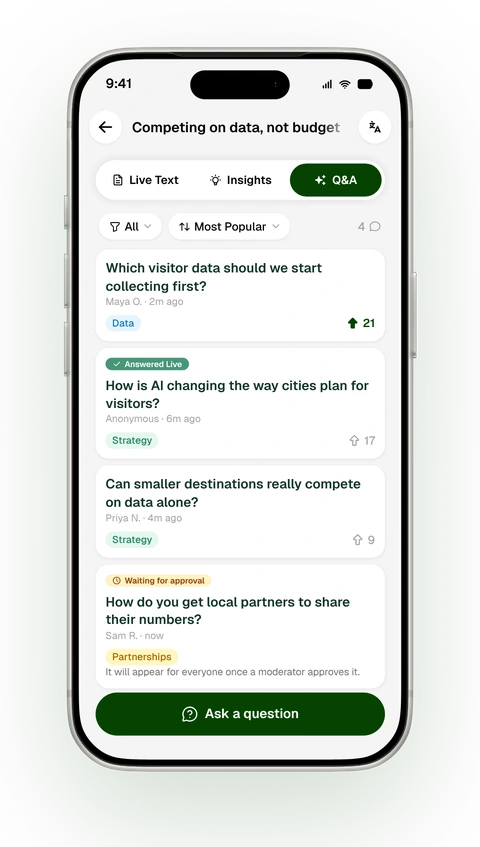
Every other Q&A tool is a text box. Snapsight is already transcribing your session, so every question stays with what was said.
Competing on data, not budget
Which visitor data should we start collecting first?
How is AI changing the way cities plan for visitors?
Can smaller destinations really compete on data alone?
On the big screen: Which visitor data should we start collecting first?
Trusted by event teams around the world


Most Q&A ends when the session does. In Snapsight, questions stay on the session page, marked answered or still open.
Competing on data, not budget Session ended
Summary
Smaller destinations can compete by measuring what they already have: where visitors come from and how long they stay.
Questions from the room
Which visitor data should we start collecting first?
21AnsweredHow is AI changing the way cities plan for visitors?
20AnsweredHow do you get local partners to share their numbers?
14Still openSnapsight is already transcribing the talk, so the speaker’s answer is saved under the question. Coming soon.
Which visitor data should we start collecting first?
Speaker’s answer Coming soon
Start with where visitors come from and how many nights they stay. That gives you a baseline you can compare each season.
Still open
How do you get local partners to share their numbers?
Attendees ask with a name or without one. Everyone can upvote each other’s questions, so the ones most people care about rise to the top.
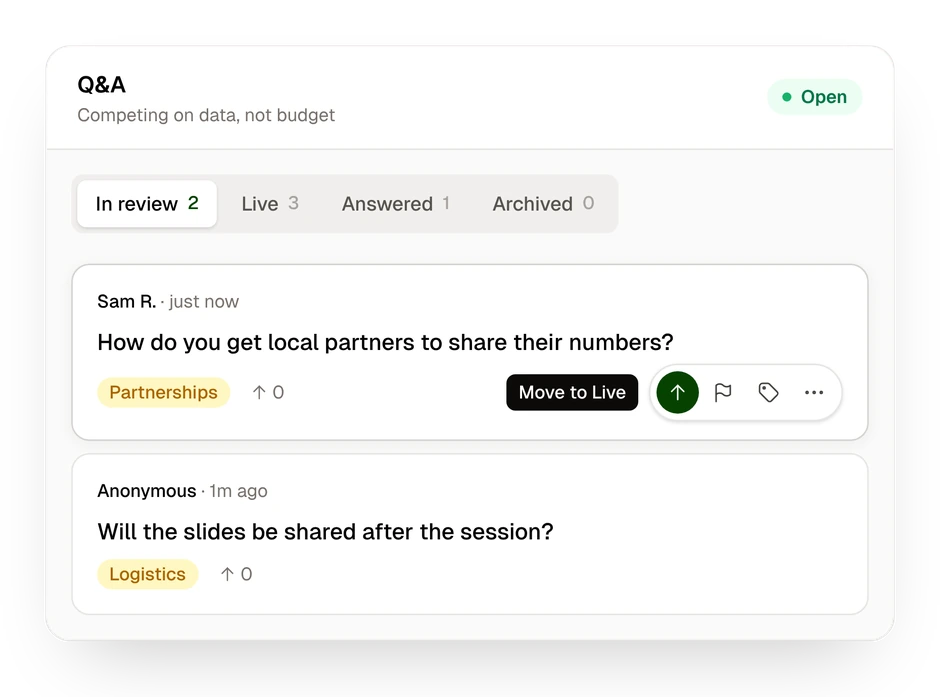
Review each question before it appears, or let AI moderation hold back anything that breaks your rules. Moderation is part of Engage.
Put every question on screen, or one at a time. It runs in a browser, so your speakers keep their own slides.
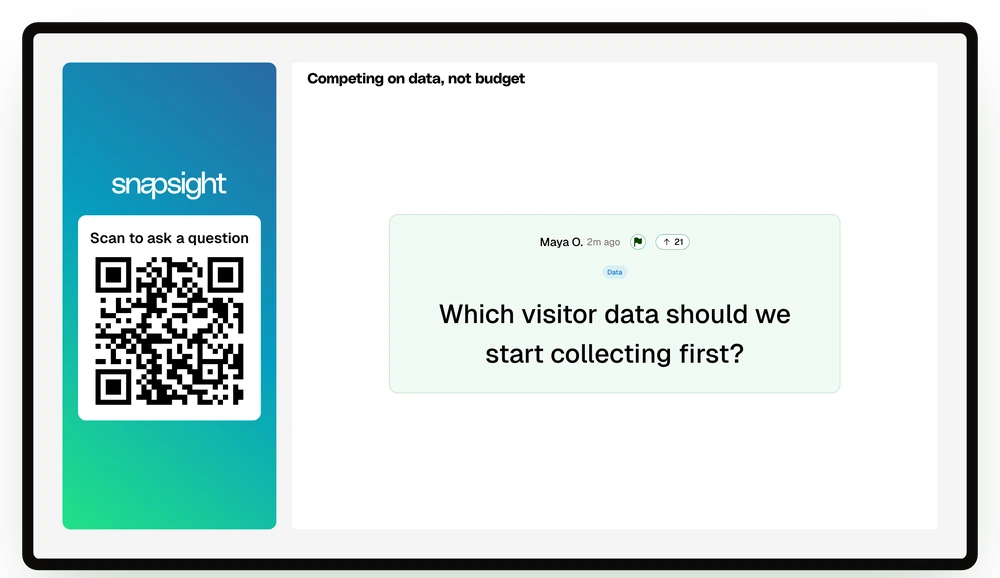
The QR code that opens your captions also opens Q&A.
Q&A goes live when you do. Nothing extra to launch.
Embed the session page in Cvent, Swapcard or your own app.
Sort questions by topic.
Run them beside the questions.
Set the rules once for the event. Change them for one room.
Free
Q&A and polls on up to 100 sessions a year, on the same link as your live captions and translation.
Start freeEngage · $299 per event
Add moderation, AI questions and polls, your branding, and analytics and exports for every room.
See plan detailsSession summaries and takeaways are part of Pro. Compare plans
Yes. Snapsight runs audience Q&A with anonymous questions, upvotes, moderation and a big-screen view, the jobs event teams use Slido or Mentimeter for. The difference is where it lives: Q&A is a tab on the same session page as the live captions, translation and takeaways. Attendees use one link, and the questions stay with the session afterwards.
Yes. Create a free account, add a session and share its link or QR code. Q&A opens when the session goes live, or when you open it yourself. Basic Q&A is on the Free plan.
Because of what sits next to it. Snapsight’s Q&A is a tab on the same page as the session’s live captions, translation and takeaways, and that page can be embedded in or linked from event apps such as Cvent and Swapcard. Attendees ask where they are already following the session, and the questions stay with its summary afterwards.
No. One event link covers every session, and attendees choose the session they are in. You can still print a code for a single session or room when that suits your slides or signage better.
No. They scan the QR code or open the link in their phone’s browser. From there they can ask a question with their name or anonymously, and upvote questions other people have asked.
Open the Snapsight stage view in a browser on the venue display. It shows the live questions, all together or one at a time, beside the QR code. Speakers present from their own decks with no add-in, and your AV team switches to the stage view when it is time for questions.
Yes, on Engage. Turn on review and each question waits for a moderator, or let AI moderation filter by rules you set, which goes further than a list of banned words. Settings apply to the whole event and can be changed for a single session.
They stay on the session page. Anyone who returns to the session sees what the audience asked, next to the session’s live text and whatever summary and takeaways your plan includes. Your team can see which questions were answered and which are still open.
Snapsight transcribes each session live for captions, translation and takeaways, and Q&A runs on that same session page. Every question is kept with the talk it was asked in, during the session and afterwards. Saving the speaker’s spoken answer under each question is coming soon; until then, a moderator marks questions as answered.
Basic Q&A and polls are on the Free plan, for up to 100 sessions a year. Engage is $299 per event and adds Q&A moderation, AI questions and polls, your branding, and analytics and exports for every room and session.